

Admin guide · Organization
Authentication (SSO)
Choose how members of the organization sign in, at Admin → Authentication.
Sign-in methods
Email & password is on by default; enterprise SSO providers sit alongside it.
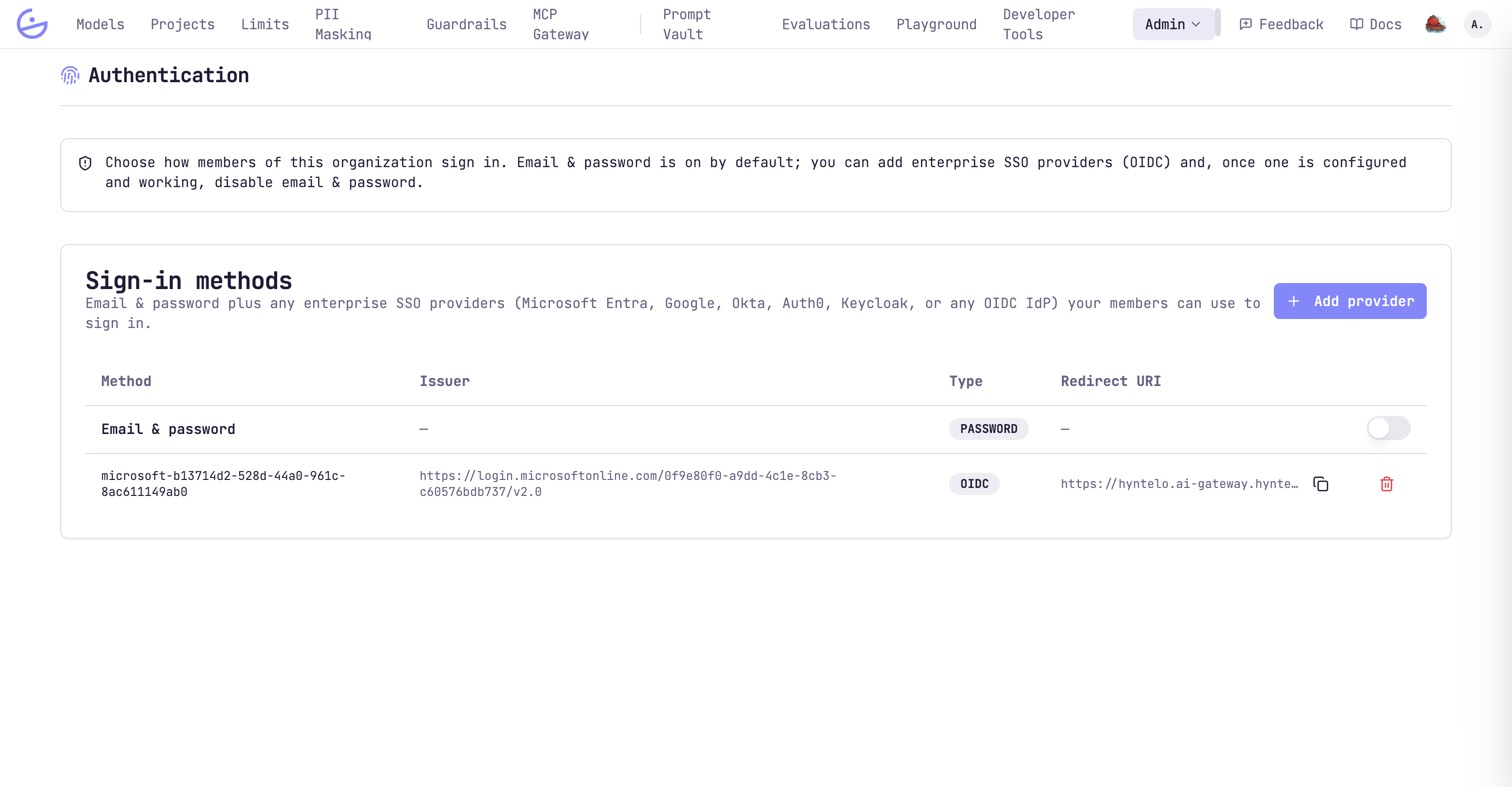
Add a provider with Add provider — Microsoft Entra, Google, Okta, Auth0, Keycloak, or any OIDC IdP. You supply the issuer, and register the redirect URI the page gives you with your IdP.
Rolling SSO out safely
The usual sequence: add the provider, verify a real login, then tighten.
- Add the OIDC provider and register the redirect URI.
- Have a user complete a real SSO login end-to-end.
- Optionally disable email & password.
warning · Disable password only after SSO works
Turning off email & password before a verified SSO login can lock people out of the organization.