

Admin guide · Platform
Playground
The Playground sends real gateway requests from the dashboard — what you see is exactly what an API client would get, including routing, masking and guardrails behavior.
Using it
Pick a model. Which model you pick is what decides the surface — the input below the thread changes with it.
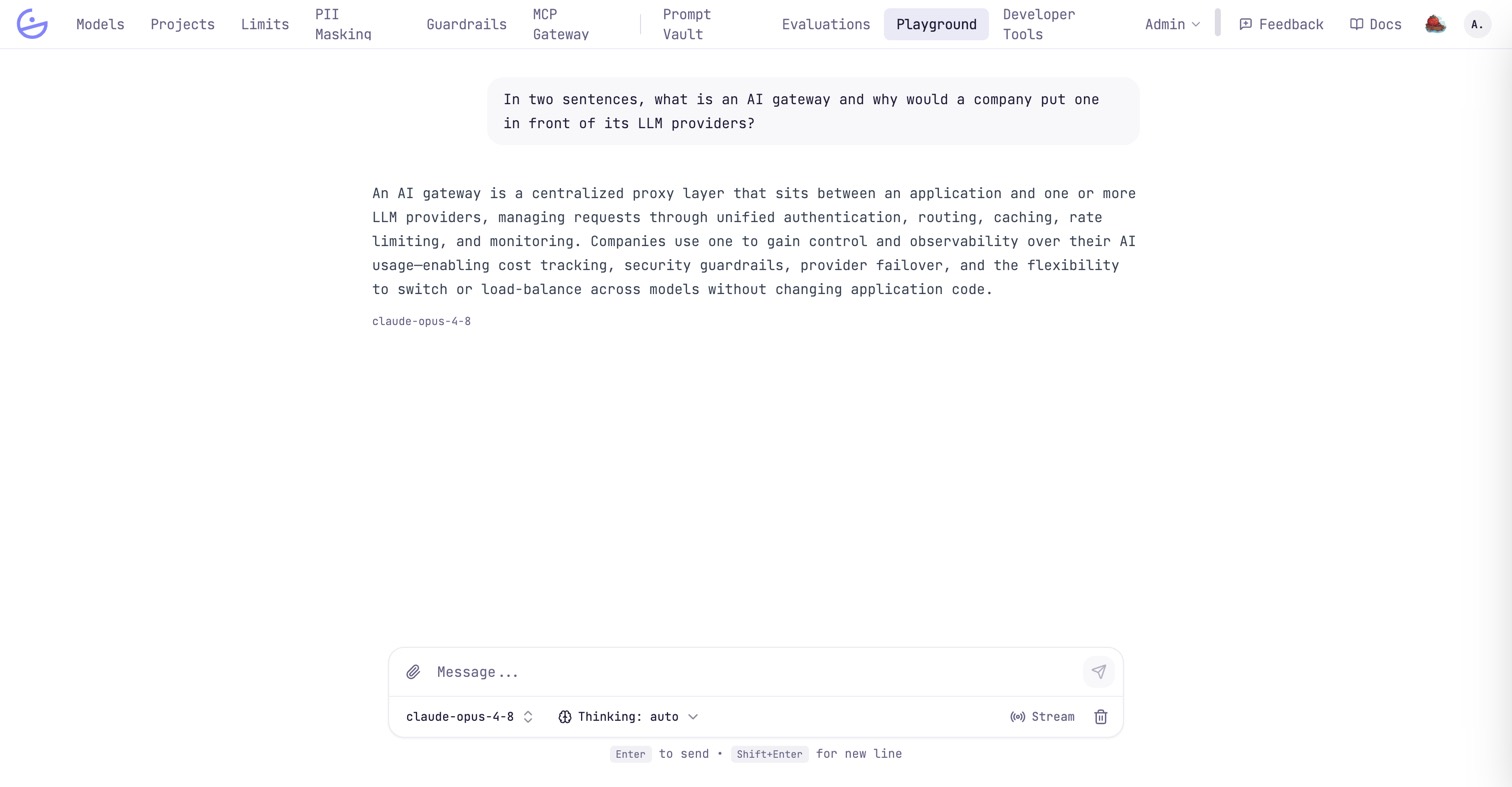
- Chat models — type a message, or attach images and PDFs with the paperclip. Search the model picker by name; the group tells you what each model does.
- Image models — describe an image to generate one. Attach an image first and the same box describes the change to make to it instead.
- Transcription models — choose an audio file (up to 25 MB) and optionally name its language. The transcript comes back with its segments.
- Thinking — on a model that reasons, choose how hard it should think, or leave it on
autofor the provider's own level. Only the levels that model accepts are offered. Its reasoning appears above the answer, expanded while it is being written and collapsed once the answer arrives. - Stream — token-by-token output instead of a single response. While a stream is running the send button becomes Stop, which cancels the request; what has already arrived is kept.
note · It is one thread, but not one context
Everything lands in the same conversation, and only the chat turns are sent back as history — an image or a transcript is not silently added to the next question. To ask a model about an image it just generated, use Ask about it under the image: it attaches it to your next turn.
note · Where the spend lands
Playground traffic uses an internal API key owned by the
System project, so its usage and cost stay visible in Monitoring like any other traffic.