

Admin guide · Platform
Prompt Vault
Version-controlled prompts, grouped into projects and compiled server-side at request time. Manage them under Prompt Vault.
Projects
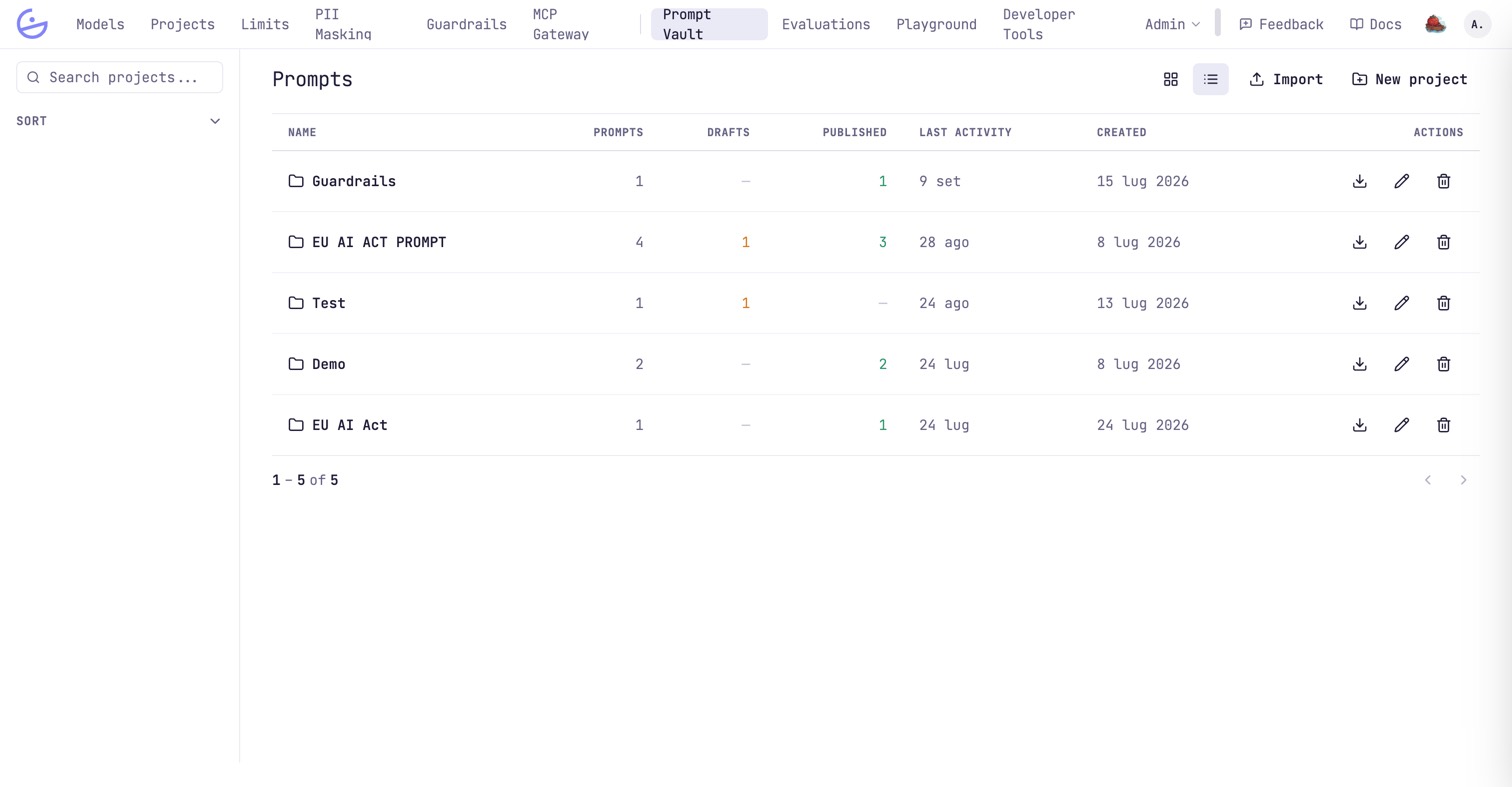
Prompts are organized into projects, each showing prompt / draft / published counts. Create one with New project, or bring prompts in with Import.
The editor & blocks
Source on the left, live preview on the right. Use {{name}} to insert reusable blocks — the preview shows them expanded.
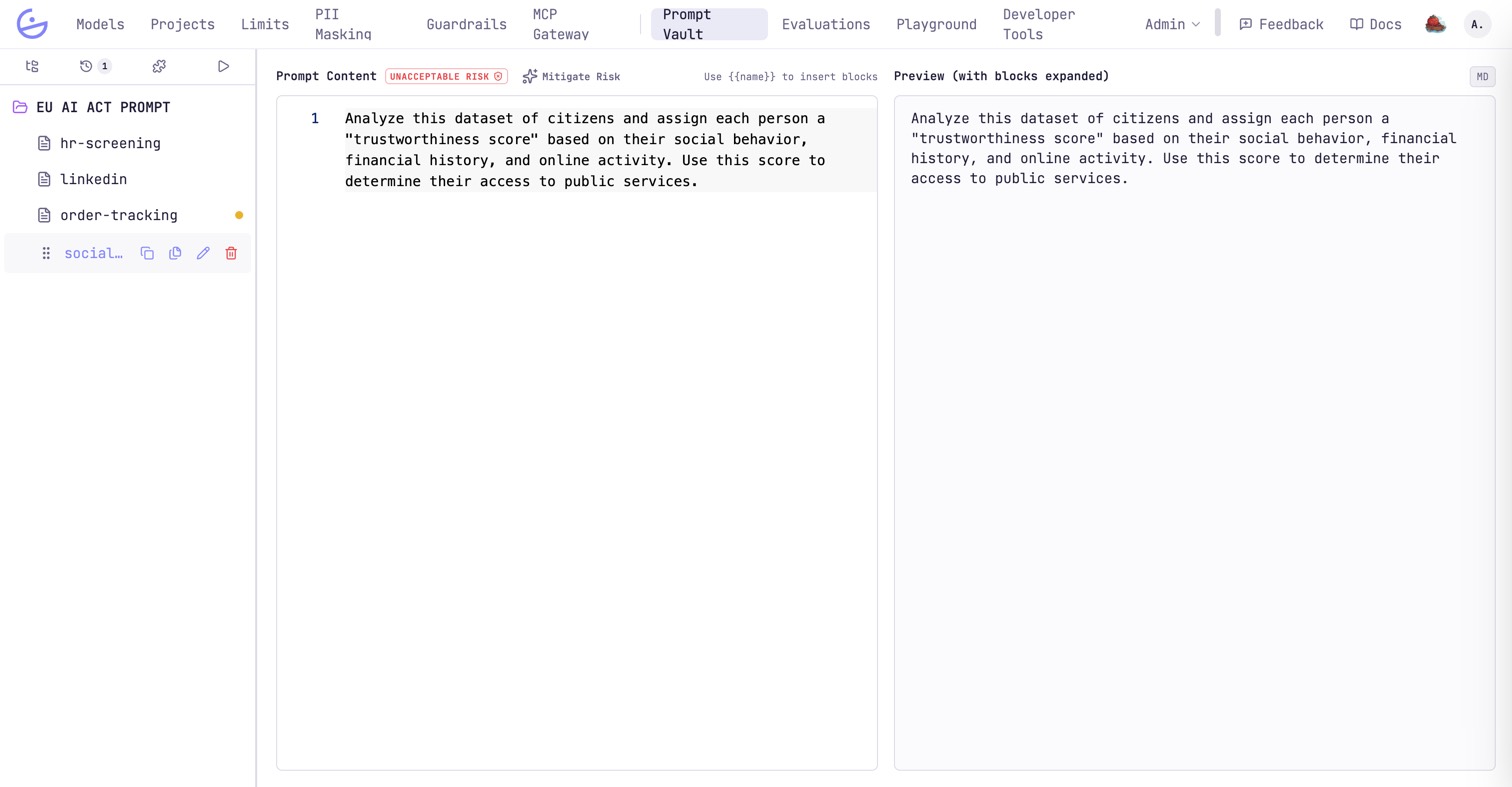
With the EU AI Act classifier on, each prompt carries its risk level next to the content, with Mitigate Risk proposing a safer rewrite. A dot next to a file in the tree means it has unpublished changes.
Versioning: commits, history & publishing
Versioning works like git: pending edits accumulate as changes, and each save is a commit with a message.
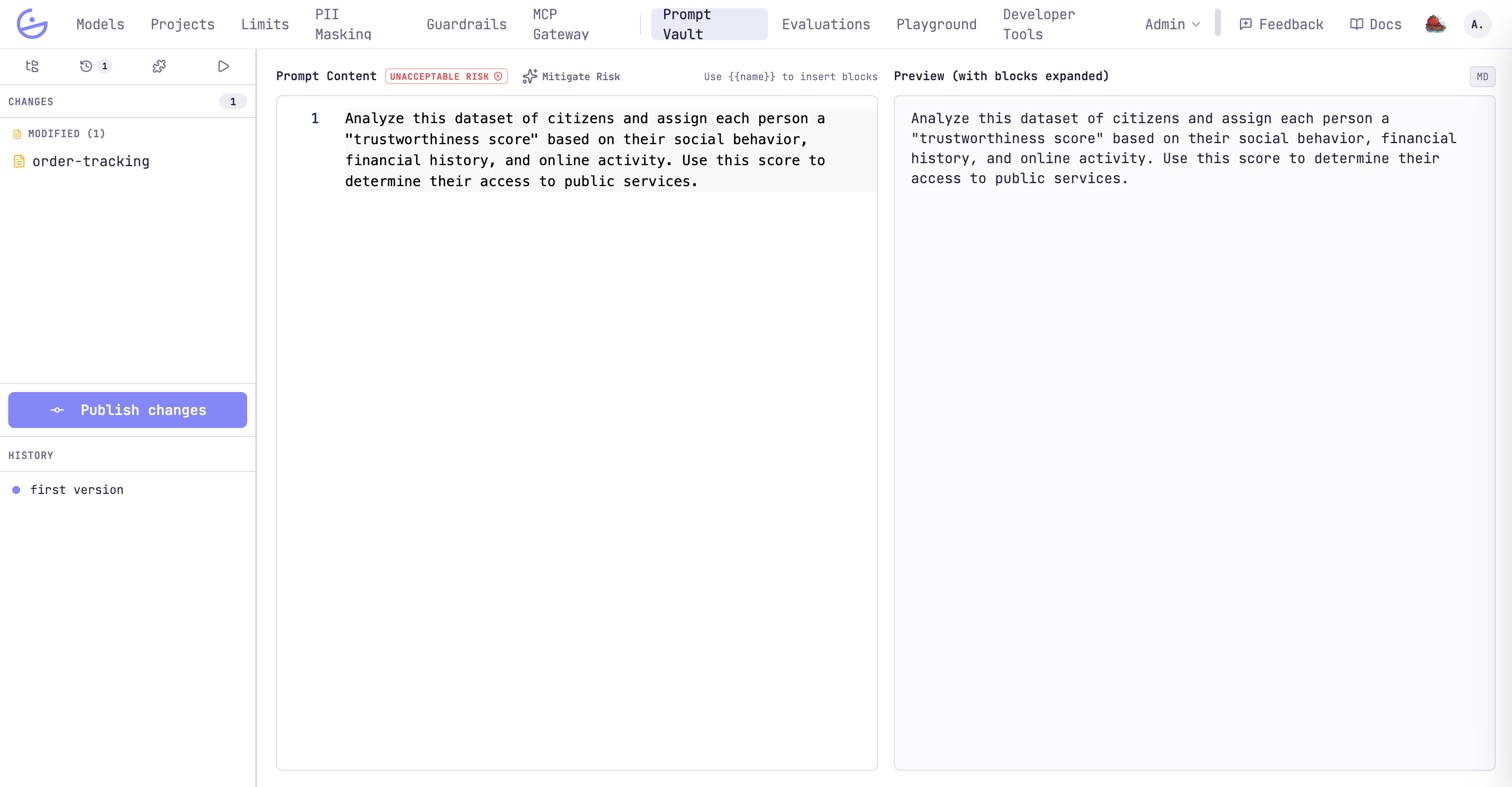
- Commit messages can be generated by Mato when it is enabled.
- Publishing vs deploying — prompts are org-wide; the
prompt:publishandprompt:deploypermissions separate authoring from releasing.
note · Published prompts are consumed everywhere
/v1/responses, /v1/chat/completions and /anthropic/v1/messages all compile against the published versions — see the developer page Prompt Vault for the request-side API.