

Admin guide · Organization
Mato — the AI assistant
Mato is the in-app assistant: open it from the icon next to Docs and administer the gateway conversationally — usage questions, model stats, navigation.
What it can do
Ask about usage (“show me usage stats for this month”), models (“what are the top 5 most used models?”) or how features work — Mato answers with live data from your organization.
note · Bounded by your permissions
Mato's tools are filtered per-caller by RBAC — it can only read and do what you could do by hand in the dashboard.
Enabling it (admin)
Configure Mato under Admin → Mato: a single toggle plus the model that powers it.
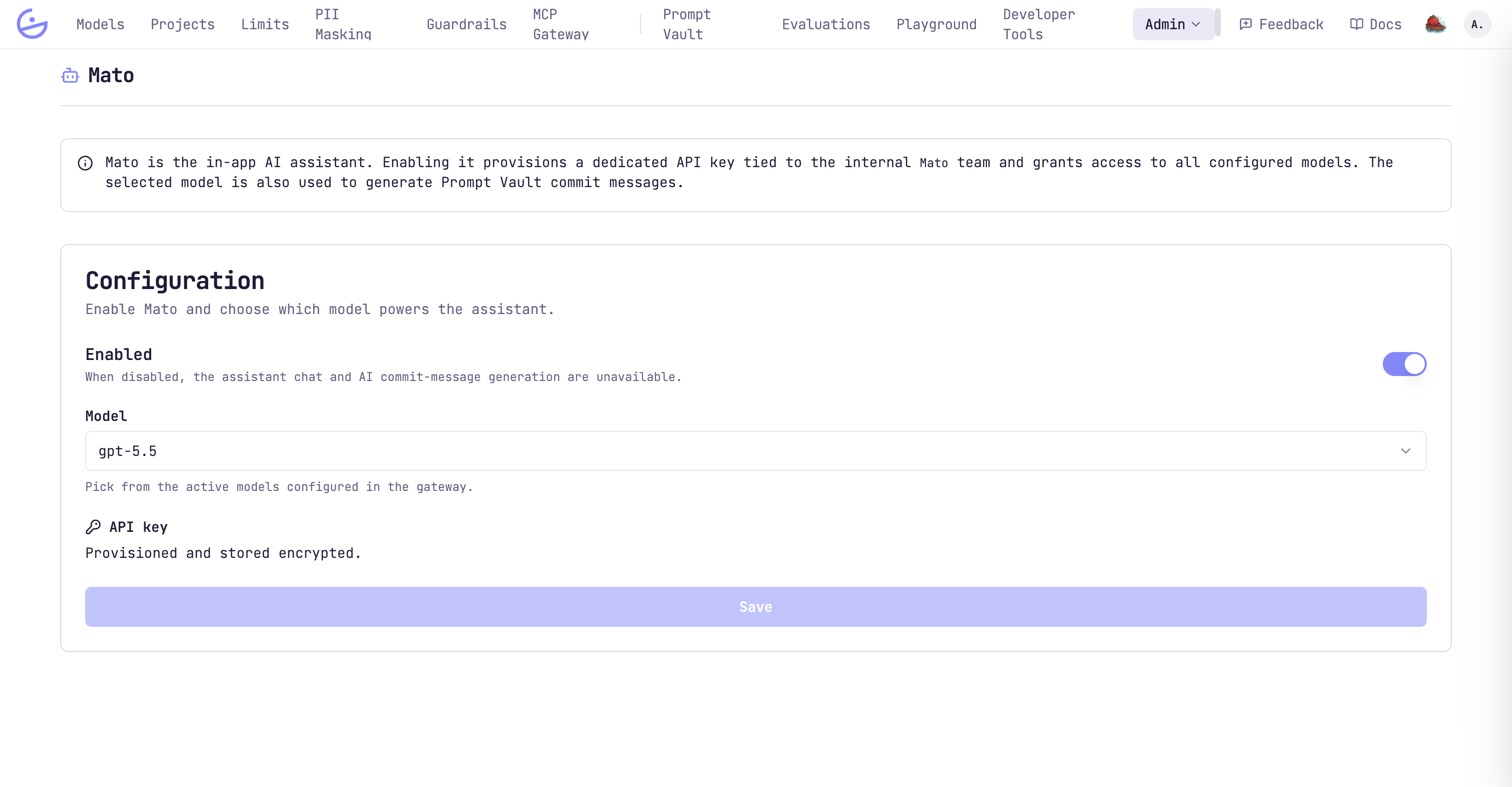
- Enabling provisions a dedicated API key on the internal
Systemproject (stored encrypted) — its usage is visible like any other traffic. The page's own wording still says “team”; that is the legacy name of the same system project. - The selected model also generates Prompt Vault commit messages.
- When disabled, the assistant chat and AI commit-message generation are unavailable.