

Admin guide · Platform
Limits — budgets & request caps
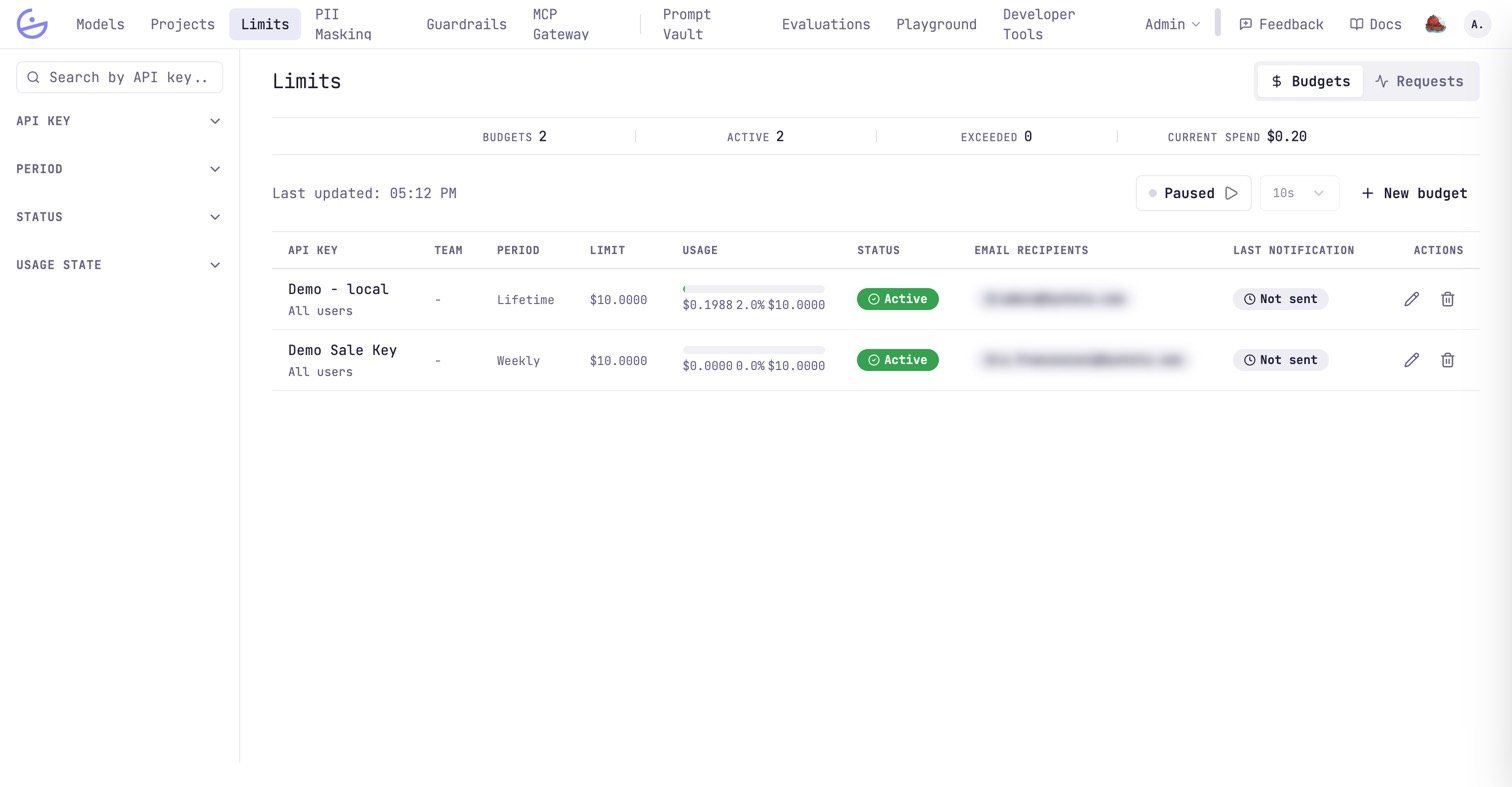
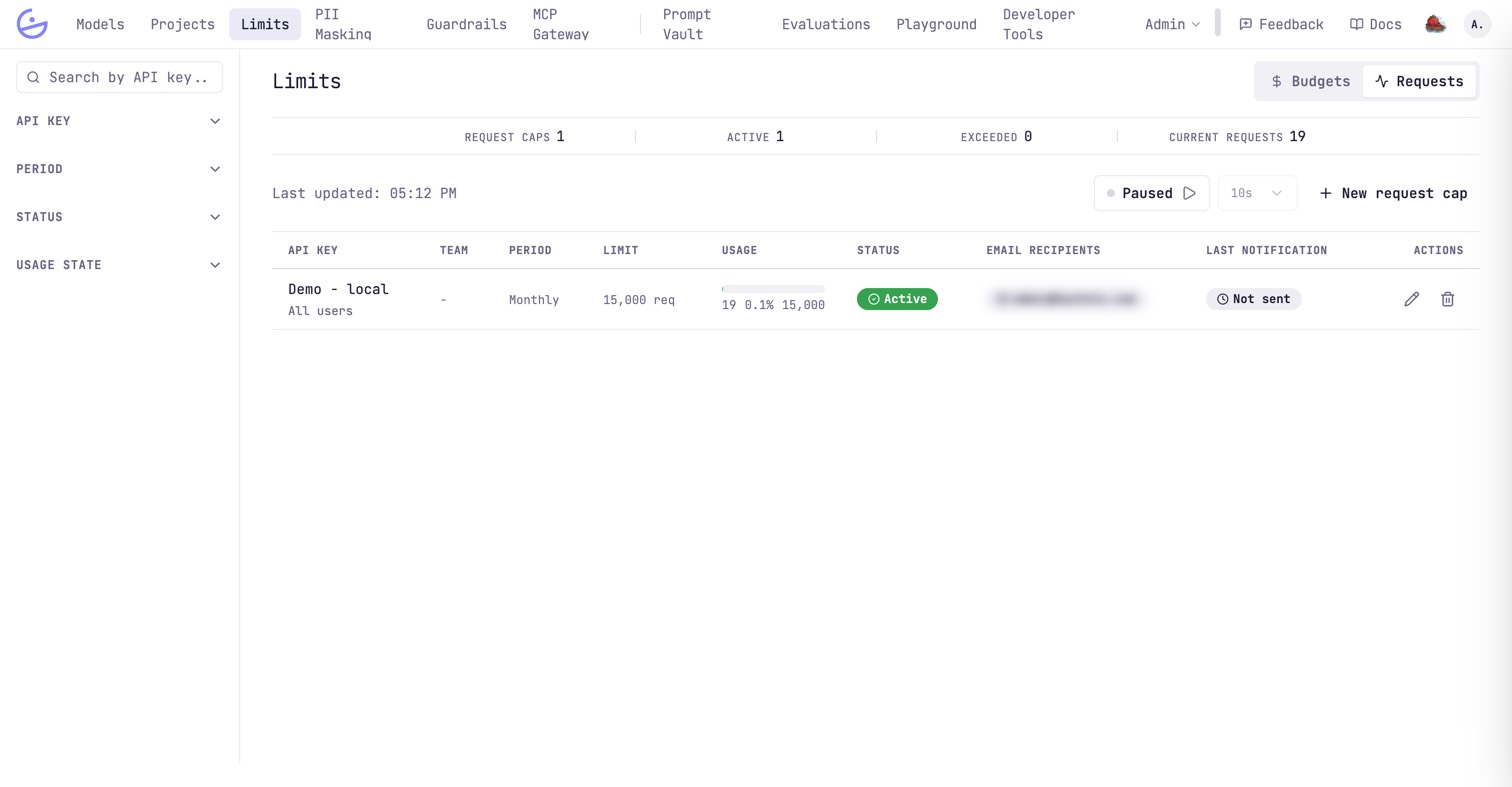
The Limits page caps usage per API key, in two flavors toggled top-right: spend ceilings (budgets) and request-count ceilings (request caps). Either view opens on a counter strip — how many limits exist, how many are active, how many are already exceeded, and the spend so far — with the left rail filtering by key, period, status and usage state.
Budgets
A spend ceiling (e.g. $10) over a period — Lifetime, Monthly, …. Each row shows the bound key, the limit, a live usage bar, status, and the email recipients notified when thresholds are crossed.
Request caps
The same idea for volume: a request-count ceiling (e.g. 15,000 req) over a period. Create either with New budget / New request cap; the auto-refresh control polls live usage.
What happens at the limit
Limits are enforced by the gateway itself, not just reported.
- When a key exceeds its budget or cap, further requests are rejected until the period resets (resets run automatically).
- A key can have at most one budget and one request cap.
- Email recipients are notified as thresholds are crossed, before the hard stop.
tip