

Admin guide · Platform
Models
The Models page is the catalog of every language model the gateway can route to, across all configured providers (OpenAI / Azure, Google Gemini, AWS Bedrock, …).
The catalog
Filter by status, provider, capabilities and input/output modalities, or search by name.
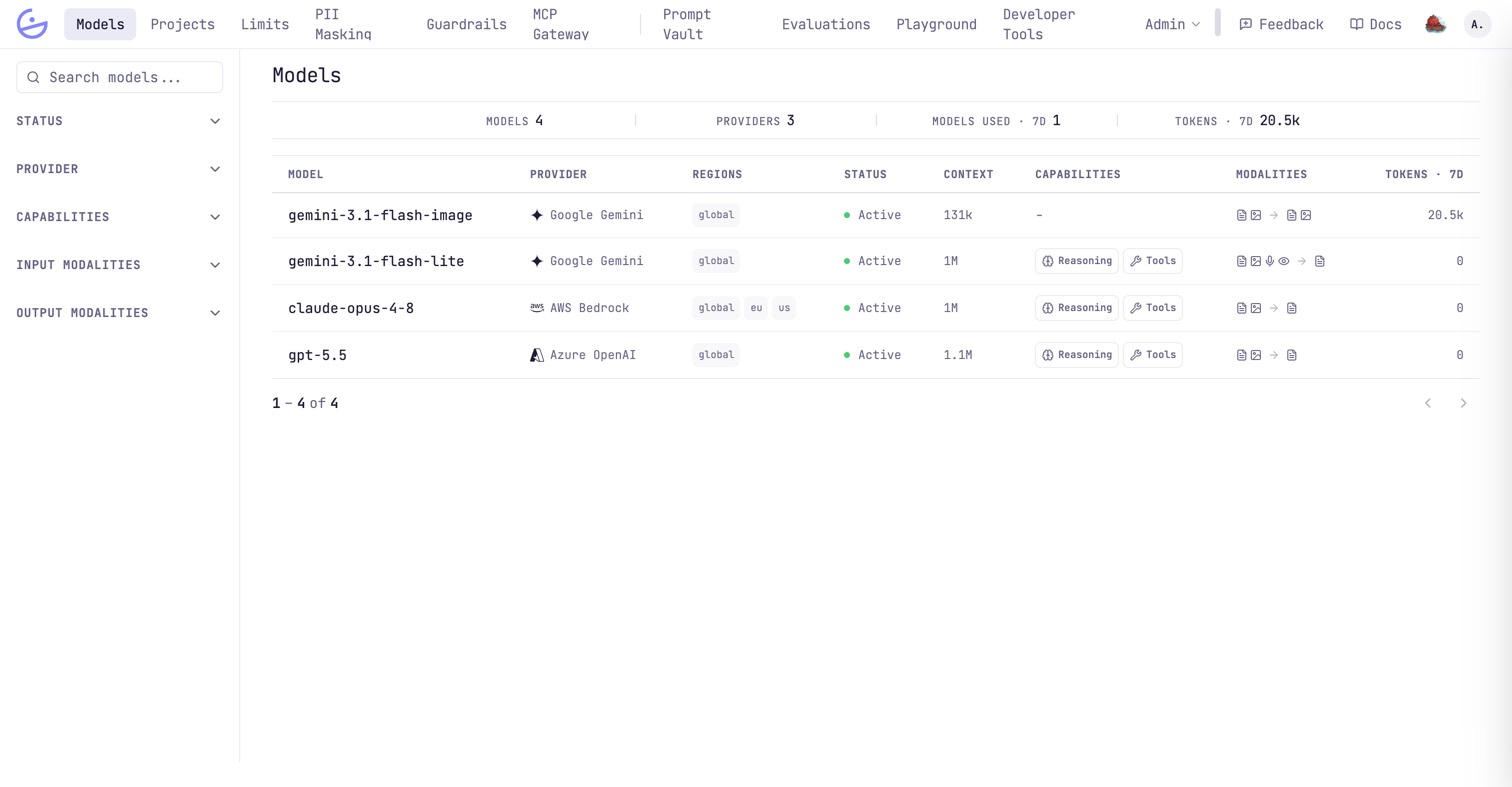
Each row shows the provider, deployment regions, status, context window, capabilities (Reasoning, Tools), modalities and 7-day token volume.
Model detail: pricing & performance
Click a model to see the numbers behind cost tracking and routing.
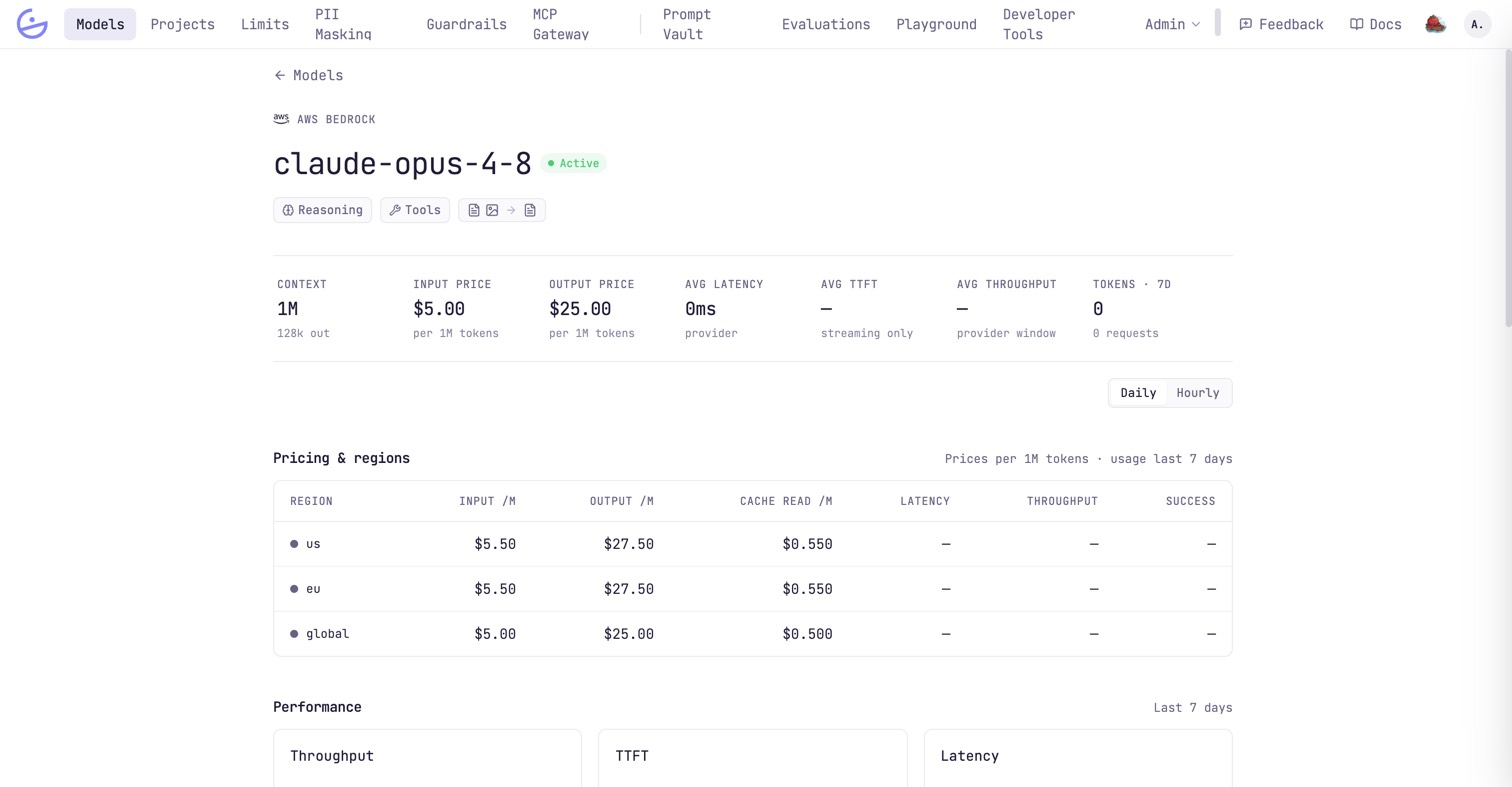
- Pricing & regions — the per-1M in/out/cache-read rates used for billing, one row per region the model is deployed in, alongside that region's measured latency, throughput and success rate. Regions are priced independently, so the KPI row above shows the base rate and points here for the rest. A Service tier selector appears where the provider has more than one (e.g. Standard, Priority), and
Full pricing structureexpands the long-context and cache-write tiers. - Performance — throughput, time-to-first-token and latency over the last 7 days, measured on real successful traffic and switchable between
DailyandHourly. Times attributable to the gateway (guardrail evaluation, PII masking) are excluded and shown separately as gateway overhead. - Projects using this model — who the volume actually belongs to, over the last 7 days.
Smart routing
When several instances share one model name, the gateway splits traffic between them from live performance data — and the card shows you where it goes and why.
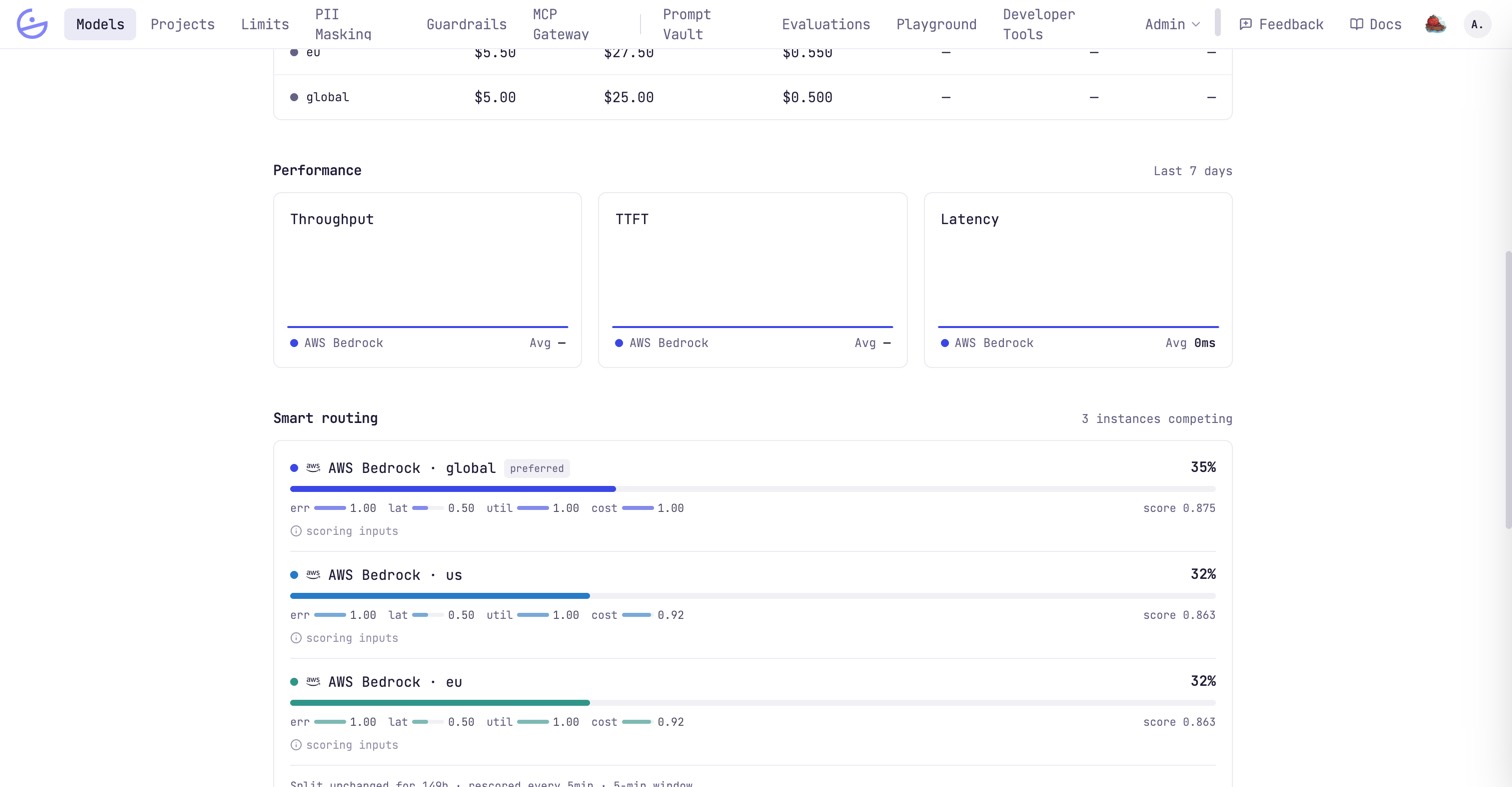
Deploy the same model name more than once — say gpt-4o on Azure in two regions — and every request has to pick one of them. The gateway scores each instance from the last 5 minutes of real traffic and splits requests proportionally, re-scoring continuously (every 10 seconds while things are moving, backing off to 5 minutes when they are stable). The Smart routing card on the model detail page is that decision, live.
Each instance gets a share of traffic and a score — a weighted blend of four factors, shown under its bar so a share is never just a number you have to trust:
- err (weight 40%) — the provider's fault rate (rate limits and server errors). It dominates, because availability comes first.
- lat (25%) — speed measured per output token, so an instance that happened to serve longer answers isn't punished for it. Time-to-first-token counts more than raw throughput.
- util (20%) — how busy the instance already is. The least busy scores highest: this spreads load before a provider starts rate-limiting you.
- cost (15%) — price per token, from the linked pricing row. The tiebreaker between instances that are otherwise equally good.
The instance carrying the preferred badge is simply the one currently scoring highest — it is a label on the outcome, not a setting you can pin.
tip · A low share is not a problem
An instance that starts failing is excluded outright — a circuit breaker, not a score penalty, so a fast-but-broken provider can't average its way back in. It receives no scheduled traffic (its bar is empty and hatched) while remaining available as a last-resort failover, and re-enters the split by itself once it recovers. Requests that hit a failing instance mid-flight are retried on the next one automatically, so a single provider going down does not surface as an error to your callers.
note · Two labels worth knowing
Smart routing needs nothing switched on: it applies as soon as a name has two or more active instances. With a single instance the card simply says so — there is nothing to route between.