

Admin guide · Platform
API keys
Keys authenticate every LLM request (Authorization: Bearer sk_…) and bind it to a project and an environment. Manage them on the project that owns them — open it under Projects and use its API Keys tab.
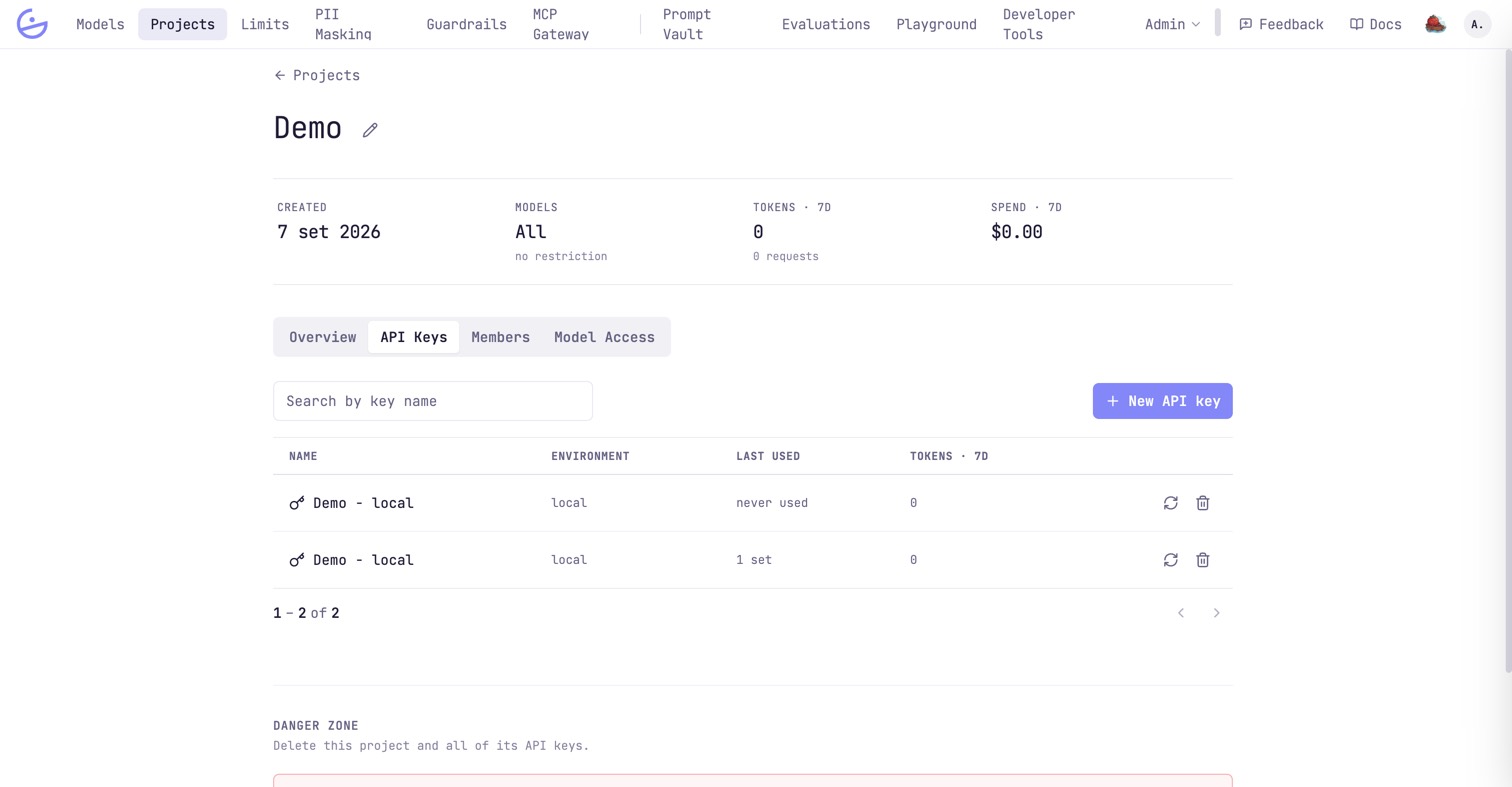
The keys list
A project's API Keys tab lists its keys with environment, last-used and 7-day tokens. Row actions rotate (new secret, same bindings) or delete (revoke) a key. There is no org-wide keys list: a key only means something inside its project, which is also where the permission to manage it comes from.
Issuing a key
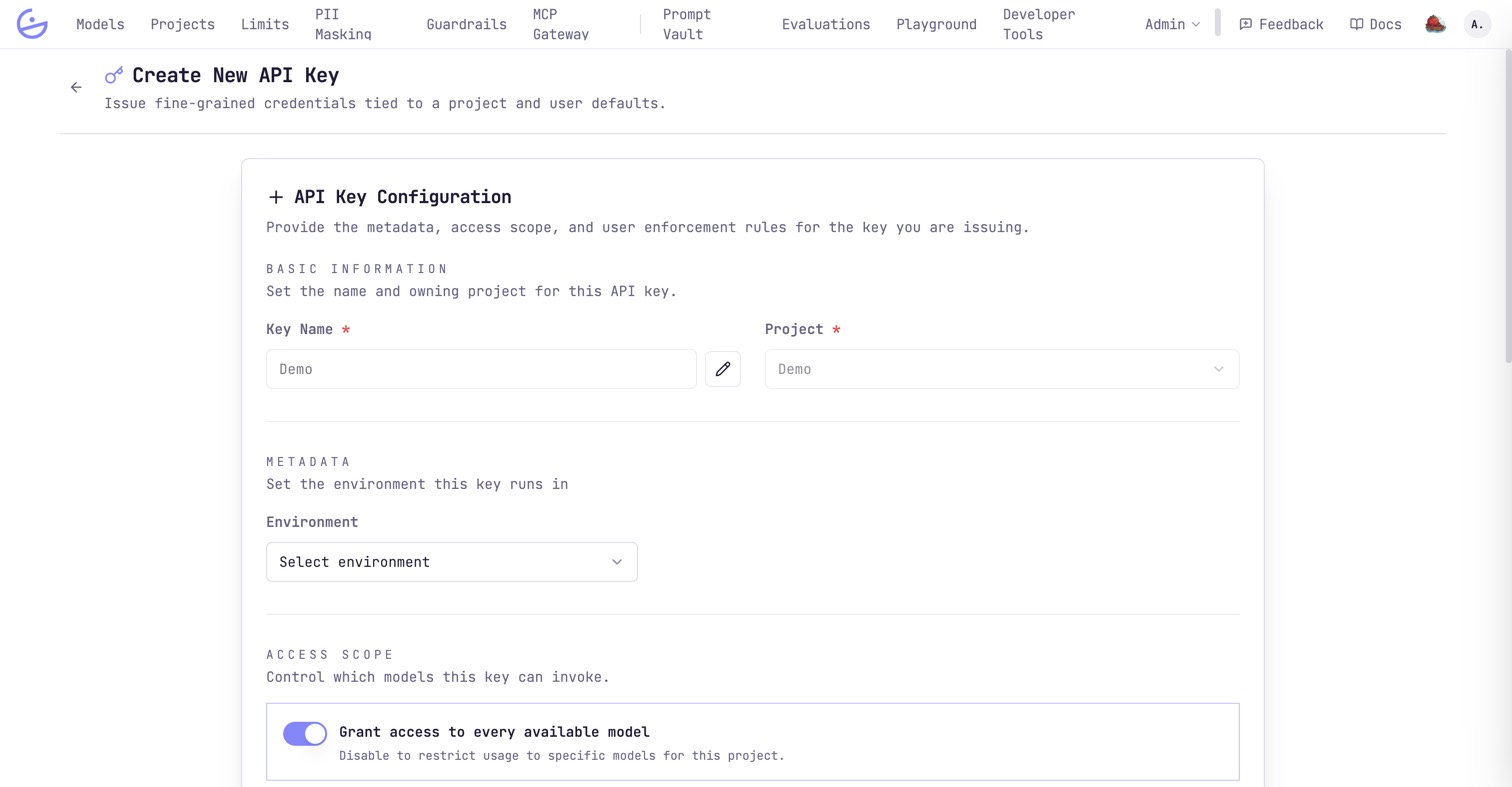
Choose New API key. The form is grouped into the following blocks.
| Field | Type | Description |
|---|---|---|
| Basic information | required | The key name and the owning project — pre-filled when you started from the project, and not changeable afterwards. |
| Metadata | optional | The environment this key runs in, used to group traces, budgets and caps. |
| Access scope | required | Grant access to every available model, or disable it to restrict the key to specific models within the project's model access. A key can only narrow what the project allows. |
| EU AI Act policy | optional | The self-assessed risk level for the application behind this key, and whether contradicting traffic is blocked or flagged. See EU AI Act. |
| Guardrails | optional | Which guardrail policies evaluate requests made with this key. Only the ones you assign run. |
| User enforcement | optional | Require the user field on every call (reject when missing) and pin a default user — useful for multi-tenant apps calling on behalf of end users. |
| MCP servers | optional | Which MCP gateway servers this key may reach, and which of their tools. Bound to no server, the key reaches none of them. |
warning · The secret is shown once
When you press
Generate API key the secret (prefix sk_) is displayed a single time — copy it immediately. If it's lost, rotate the key from the list to mint a new secret.tip
To cap what a key can spend, attach budgets & request caps.