

Admin guide · Platform
MCP Gateway
Register a third-party MCP server once, and the gateway republishes it at an endpoint of your own — with the upstream credential held here instead of on every laptop, and every tool call recorded. Manage them under MCP Gateway. For what a client sees at the other end, read the developer page MCP Gateway.
note · Not the same thing as the MCP server
The servers list
Every registered server with the endpoint it answers on, how many tools are cached, how many keys are bound to it and when it last synced.
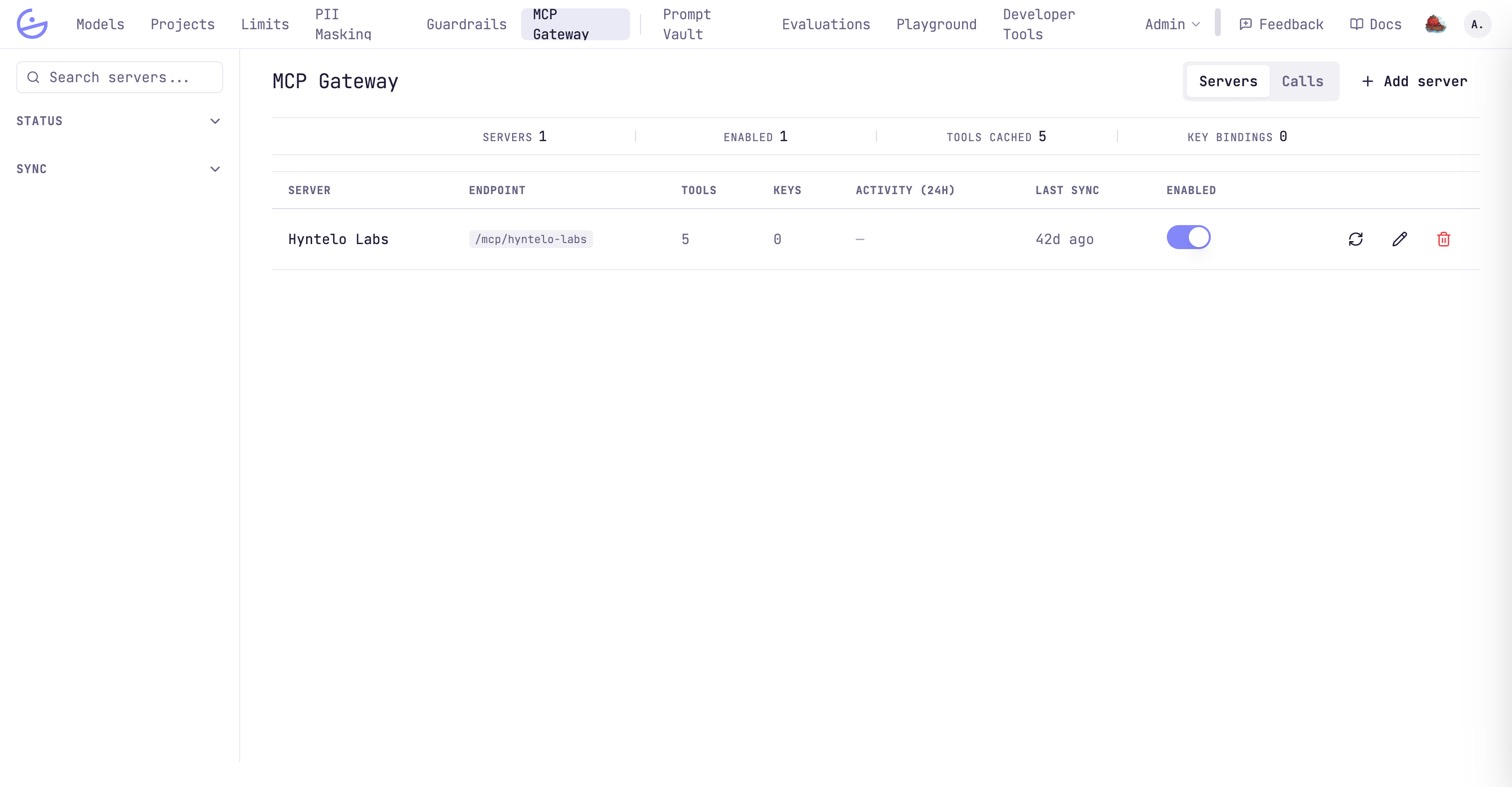
The toggle is a kill switch: a disabled server is reachable by nobody, whatever the bindings say. The circular-arrow icon re-reads the upstream tool catalog.
Registering a server
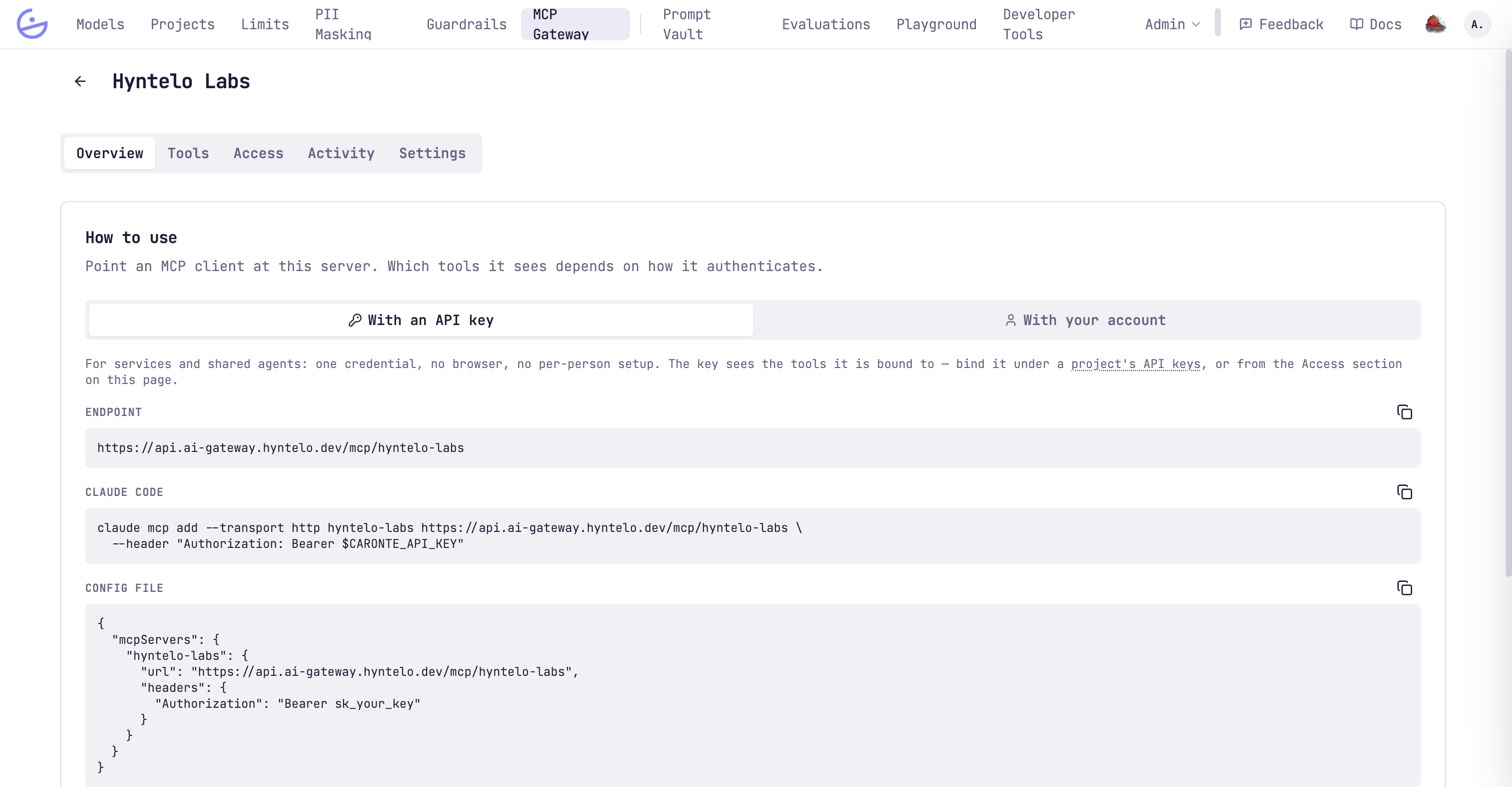
Add server asks for an identity and an upstream connection; everything else is set afterwards from the server's own tabs.
| Field | Type | Description |
|---|---|---|
| Slug | immutable | Fixes the endpoint — /mcp/<slug>. It cannot be changed afterwards, because it lives in every configured client. |
| URL | required | The upstream, Streamable HTTP only. URLs resolving to private or internal addresses are refused. |
| Authentication | optional | None, a bearer token, or a custom header for servers expecting e.g. X-Api-Key. Encrypted at rest and never shown again — replace it, you cannot read it. |
| Static headers | optional | Sent on every upstream request, for a tenant id or an API version. Stored unencrypted, so credential-shaped names (Authorization, X-Api-Key, Cookie…) are rejected on purpose. |
| Timeout | optional | How long the gateway waits on the upstream. |
tip · Test before you hand the endpoint out
Test connection in Settings checks the upstream and credential; Test on the Tools tab runs a real tool call. Both are cheaper than debugging through someone else's client.The tool catalog is a cache
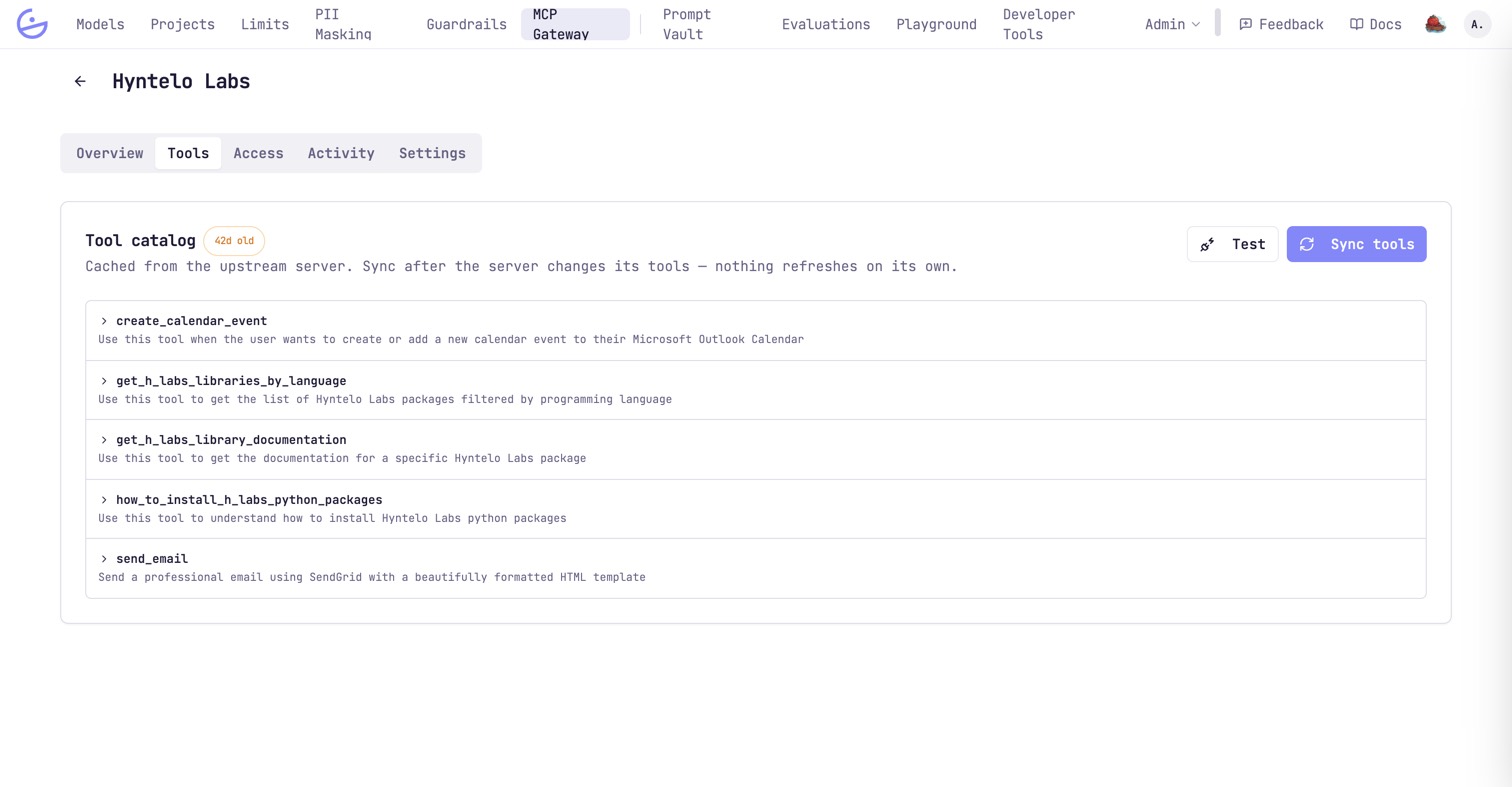
The gateway serves the tools it captured at the last sync — nothing refreshes on its own.
warning · Sync after the upstream changes
Sync tools, and a tool removed upstream stays listed — and grantable — until then. The age badge next to the catalog is the only warning you get.Who reaches which tools
Two independent rosters, because there are two ways to authenticate: an API key, or a person's own account.
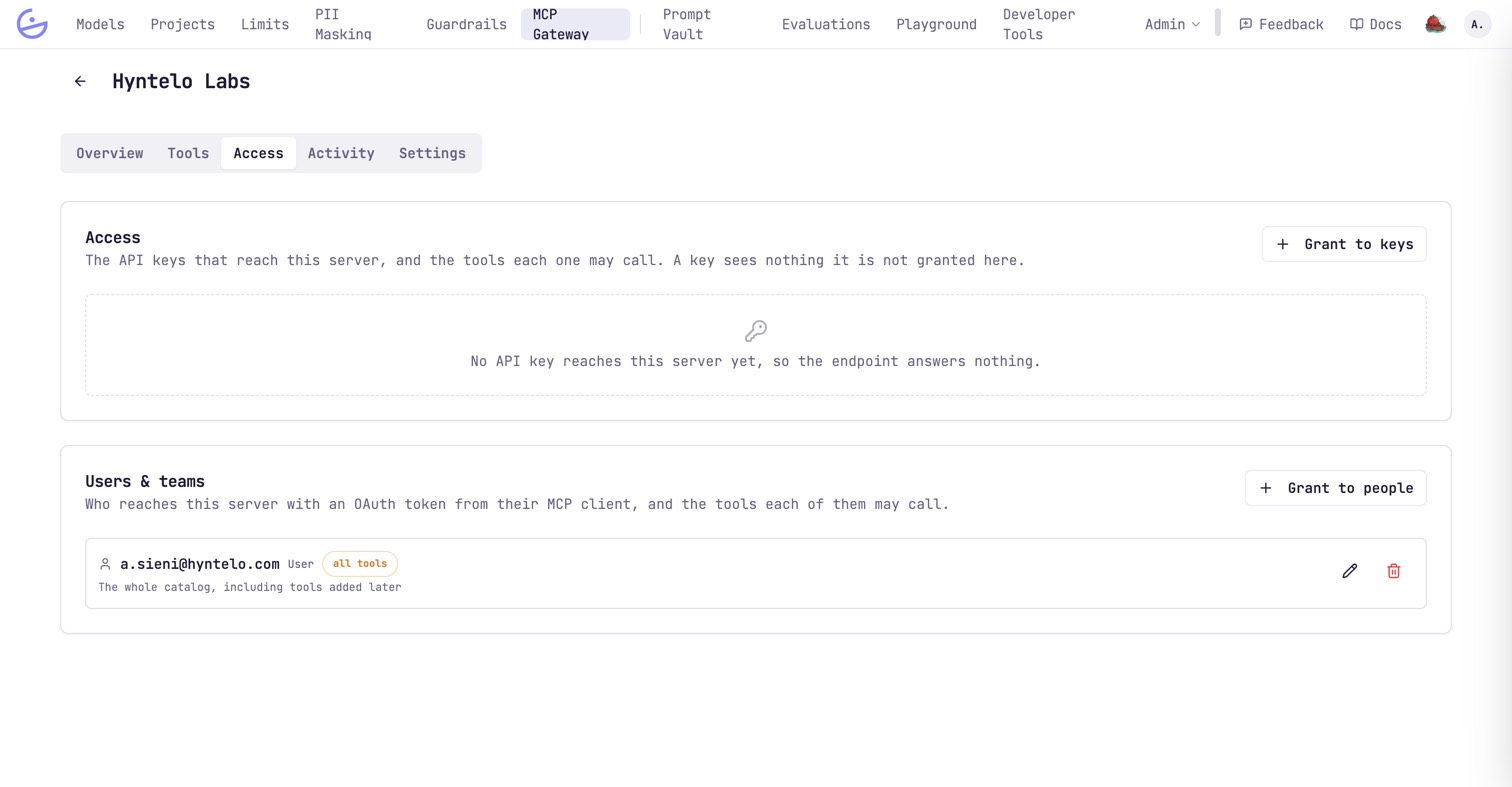
- API keys — for services and shared agents: one credential, no browser, no per-person setup. Bind a key here, or from the key's own form.
- Users & teams — for people whose MCP client signs in with their account. A grant on a team covers everyone in it; a grant on the person replaces what their teams give them on this server.
Each grant is either all tools — which includes tools added later — or a hand-picked subset. A caller sees nothing it was not granted: with no bindings at all, the endpoint answers an empty catalog rather than an error.
PII masking and guardrails apply per server
The Overview tab states both, because unconfigured is the default and it is silent.
- PII masking — without a config targeting this server, tool arguments are forwarded to the upstream unmasked.
- Guardrails — a rule assigned here evaluates the server's tool calls, the same way an assignment on a key evaluates that key's LLM calls. With none assigned, calls are forwarded unchecked.
note · It applies to every credential
Calls
The Calls view is the audit surface: one row per tool call with its outcome, per-phase timings and, when refused, why.
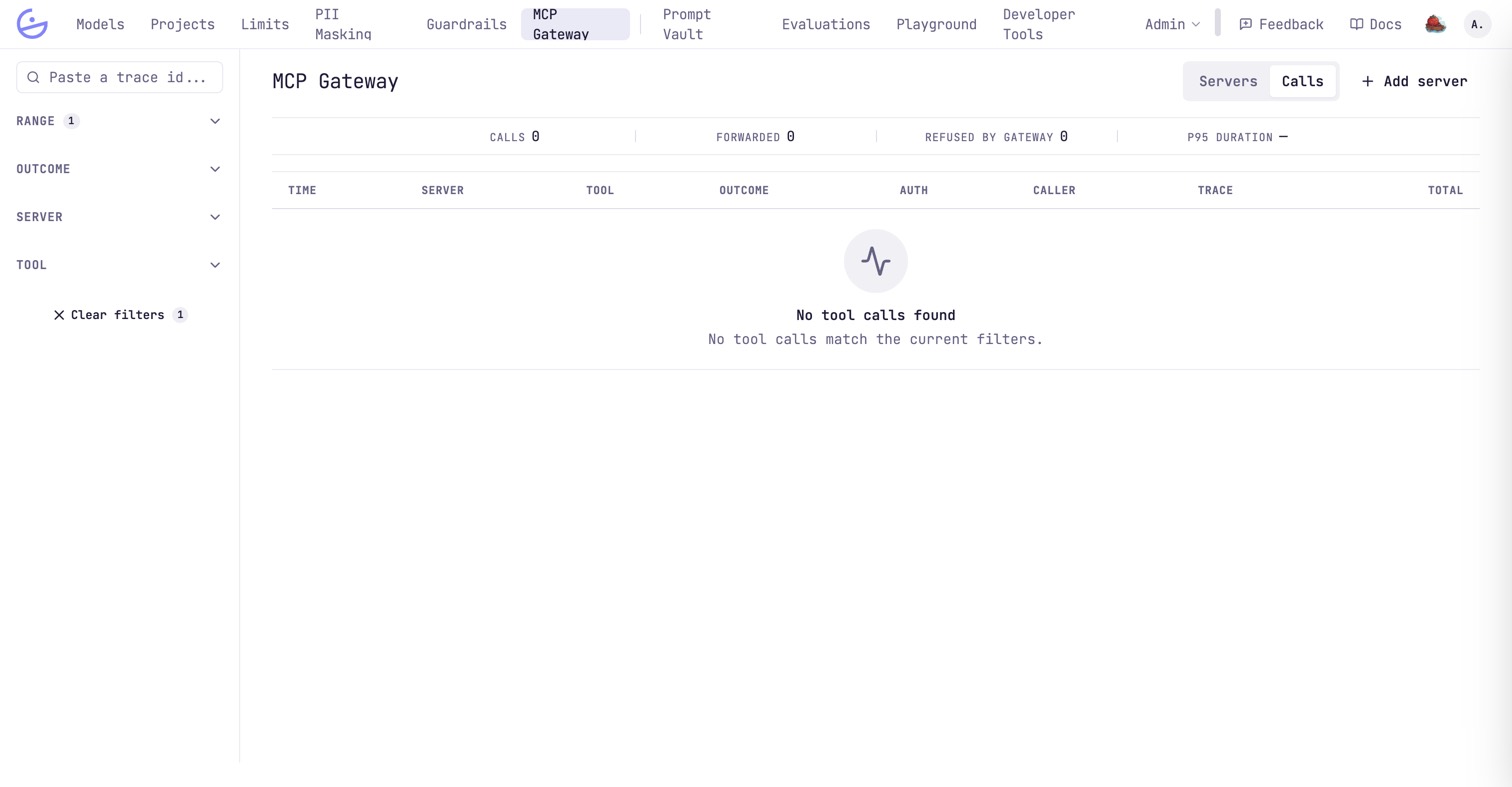
Refused by gateway counts calls the platform stopped before the upstream saw them — an ungranted tool, a disabled server, a guardrail. They never reach the third party, which is the point of putting it behind a gateway, and they are the first number to look at when someone reports a tool “not working”.